
This is a field report on building a team of AI coding agents - agents that read a real codebase, write features, run migrations and review each other's work. If what you need is an AI workforce for sales, support or back-office operations, applied AI in business is the better starting point.
At Automathing, we run several products in parallel: TowerZ, StyleAfro, TransformZ, and others. Each team member has a primary project, and with it a deep understanding of the stack, the internal conventions, and the history of technical decisions built up over months.
In a small team managing multiple products, you don't always get to choose which project you're working on tomorrow. A client emergency, a market signal, a shifting priority, and overnight you have to set one project down and pick another back up. That switch has a real cost. Getting back up to speed takes time, and not everyone had the space to document everything between two emergencies. Once you find your footing again, every developer still carries their own signature: a slightly different style, implementation choices that don't quite align with those of the person who has been carrying that project from the start.
The result: uneven productivity across projects, and a switching cost that gradually eats into the entire team's velocity.
Hence the initial idea: build project-specific AI coding agents capable of carrying the living memory of conventions, patterns, and technical decisions. A developer landing on an unfamiliar project can then lean on that project's coding agent to stay aligned from the first hour, rather than after two days of catch-up reading.
It was while building this first layer, one agent per project, that the real complexity emerged. A single agent, even well-equipped with context, wasn't enough to cover every dimension of a project: code, infrastructure, data, UX, security. Hence a second architectural layer: one orchestrator per project, delegating to domain-specialized agents.
Here's what this approach taught the team.
The Architecture: One Orchestrator, Several Specialized Coding Agents
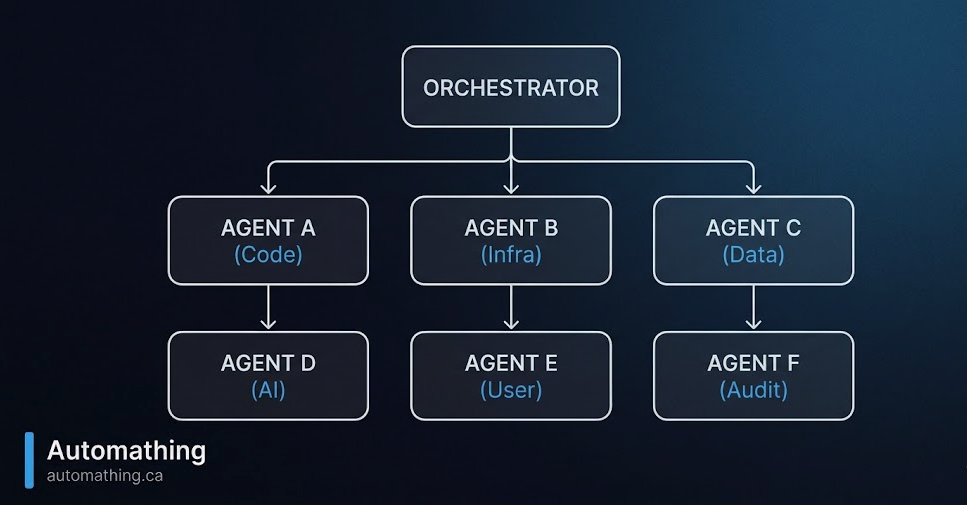
The base pattern is simple. A central orchestrator receives the request, breaks it down, then routes it to the specialized agents best positioned to execute it.
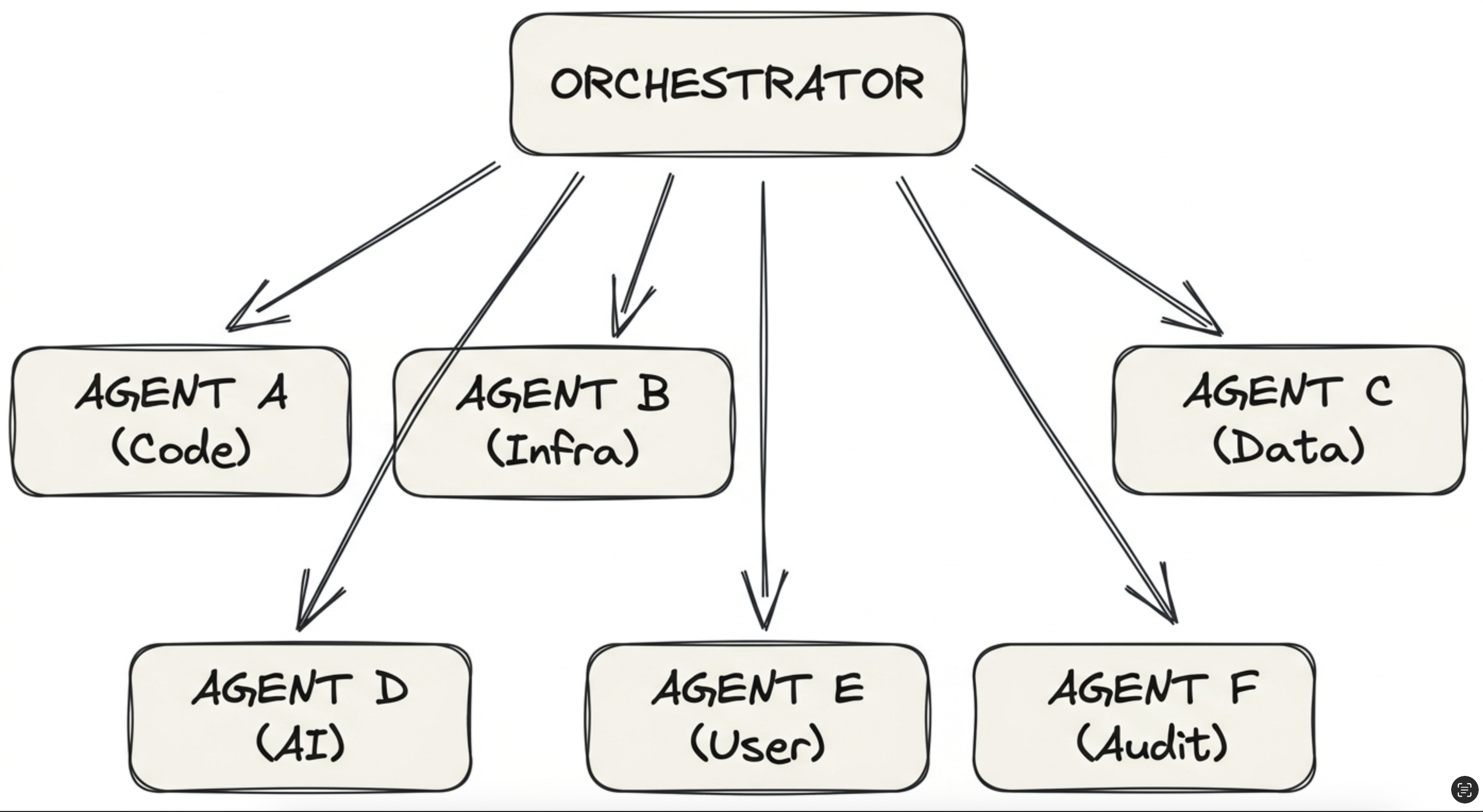
Each agent has its own scope, tools, and skill file:
- Code: feature development, refactoring, testing
- Infra: Docker, CI/CD
- Data: database schemas, migrations, complex queries
- AI: LLM integrations, embeddings, prompt design
- User: UX, copy, forms, user flows
- Audit: code review, security, consistency with existing code
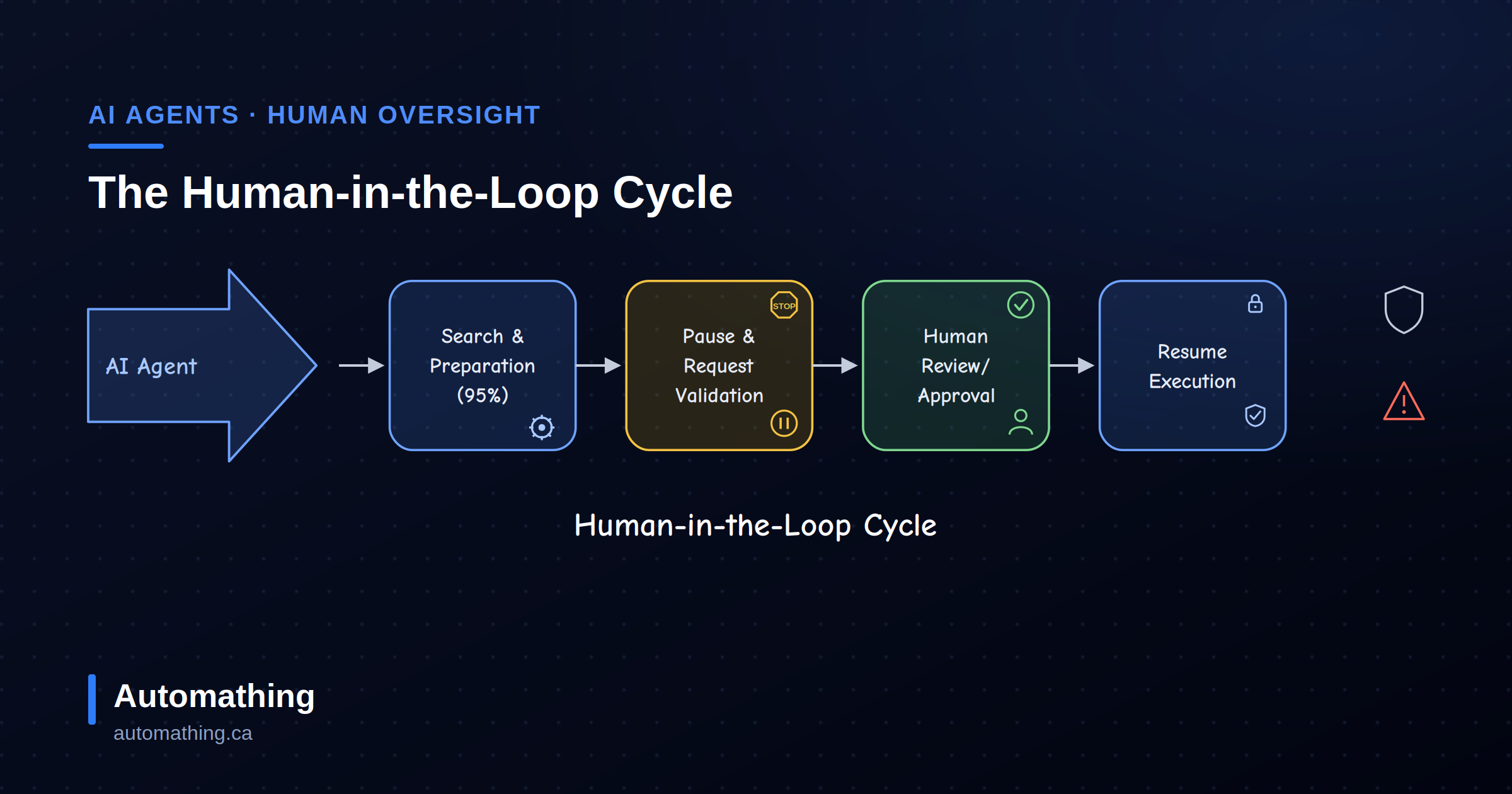
Whatever the agent lineup, one rule doesn't change: the critical actions they prepare (publishing, database writes, spending) stay behind human-in-the-loop checkpoints. Specialization decides who does the work; the checkpoint decides what ships without a human look.
Why not use a single generalist agent with a mega-prompt? Because beyond a certain complexity threshold, an agent that tries to do everything no longer does anything well. It's the same problem as asking a full-stack developer to push a database migration, configure the reverse proxy, and run a security audit in the same day. The outcome is rarely good.
Building this architecture is what revealed what actually matters.
Lesson 1: A Coding Agent That Knows Everything Does Nothing Well
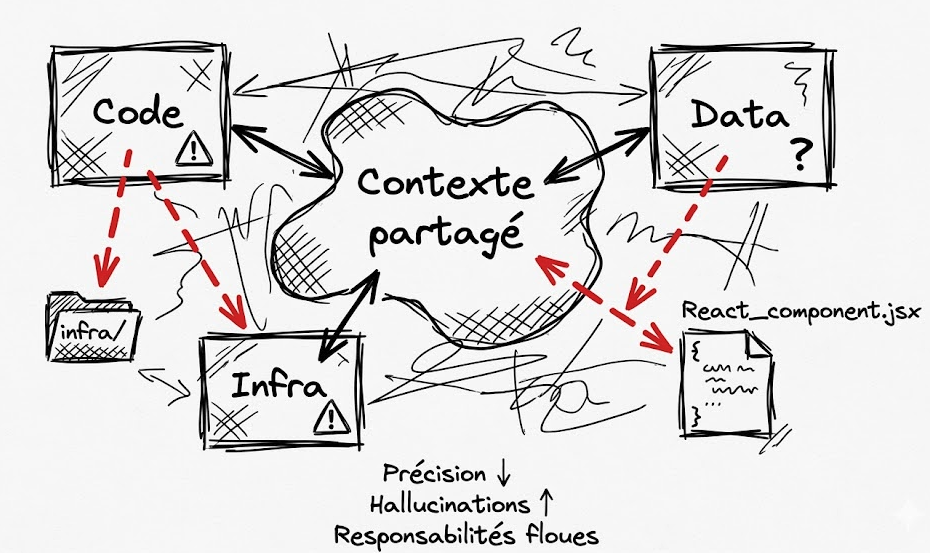
The classic mistake is to share a single context across all agents. The logic seems obvious: the more they know, the better they collaborate.
Wrong.
In practice, here's what happens: the Code agent starts touching infrastructure because it saw the Docker config in its context. The Data agent proposes UI changes because it has access to the React files. Precision drops. Hallucinations rise. Responsibilities blur.
Worse: the context window saturates with information the agent doesn't need, which degrades performance on its actual task.
The fix is straightforward: explicitly separate execution spaces. How to do it depends on the provider:
- Claude Code: use the subagent system (
subagent_type) so each coding agent gets its own isolated context window - Gemini CLI: configure the roles (
generalist,codebase_investigator, etc.) - All providers: spell it out plainly in the agent's skill file: "Use tool xxx to assign a task to an agent."
No heavy orchestration framework is required. What matters is that each agent knows what it's not allowed to touch. That constraint is precisely what makes it good.
Lesson 2: Specs Aren't Designed. They're Observed.
This is the most counter-intuitive one.
The engineer's instinct is to write THE perfect specification document before launching the agents. Architecture, conventions, business rules, code patterns: everything must be anticipated.
The usual result: a 40-page document the agents half-ignore, which doesn't cover the 20 real problems that surface during the first week.
The right process works the opposite way:
- Start with a minimal skill (50 lines max)
- Launch the agent on a real task
- Observe what it does wrong
- Turn every error into a rule
- Repeat
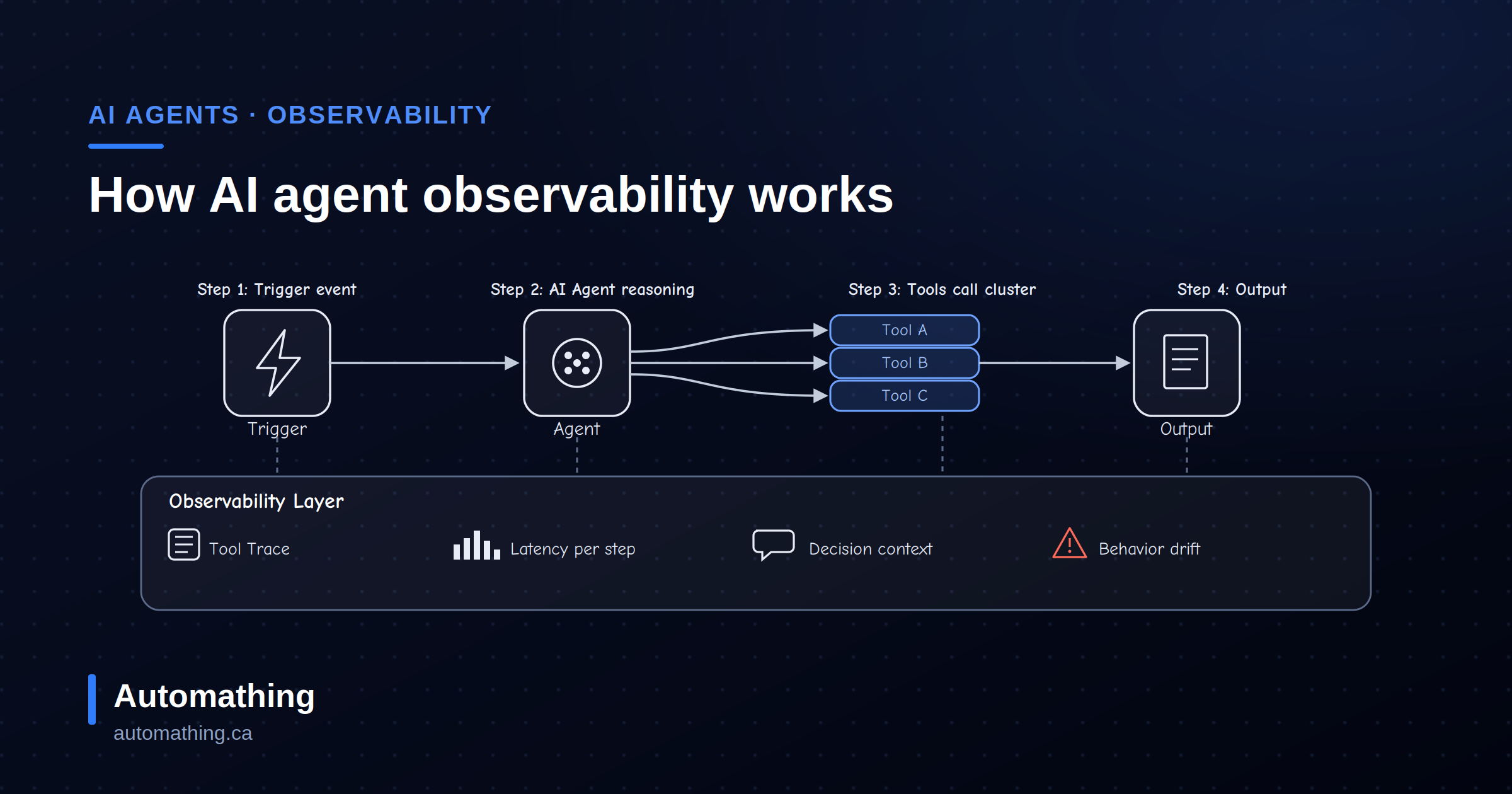
Step 3 is where most setups fall short: you can't turn errors into rules if you can't see them. That's the whole case for tracing your agents' reasoning in production: an agent rarely fails loudly; it drifts while returning perfectly valid outputs.
A few concrete examples from our TowerZ setup:
- The agent bypasses an authentication check → rule added: "Any query on a private table must go through
auth.uid()in the RLS." - The agent ignores a monorepo file-tree convention → rule added: "Shared components belong in
/components/ui, never in/src/lib/." - The agent produces correct but inconsistent code → rule added: "Always use the existing Server Action pattern in
/lib/actions; never create a new API route."
Every rule is a scar. After four to six weeks of iteration, the result is a spec set that covers 90% of real-world cases, something no theoretical document could have predicted.
The Side Effect Few Mention: Clarity Forces Itself on the Human
This is the benefit few teams anticipate.
To write a good rule, you have to put into writing what was previously implicit. Why is the code structured this way? Why this pattern and not another? Why this naming convention?
Most of the decisions an experienced developer makes are tacit. They live in their head. To transmit them to an agent, they have to become explicit.
The result: the codebase becomes better documented, the architecture becomes more consistent, and the team's architectural thinking sharpens. The agents act as a forcing function for human clarity.
This is probably the most underrated benefit of the setup.
AI Coding Agents vs. an AI Agent Workforce: Not the Same Build
"AI agent team" now covers two very different builds, and treating them as one is how projects get architected wrong.
An AI agent workforce operates on the business: it answers customers, qualifies leads, files expenses, updates the CRM. Its reference is a business process, its mistakes are visible to customers, and its guardrails are policy and escalation paths.
An AI coding agent team operates on a codebase: it writes features, runs migrations, patches the CI pipeline, reviews diffs. Its reference is the repository itself - conventions, types, tests, the build.
That difference is exactly why the orchestrator + specialists pattern holds up here. A codebase hands you a compiler, a test suite and a code review to check the agents against, so an error surfaces in minutes instead of in a customer's inbox. Most business processes give you nothing equivalent, which is why an agent workforce needs a different architecture - heavier on validation, escalation and human-in-the-loop checkpoints - rather than the same one with different prompts.
When an AI Coding Agent Team Is NOT a Fit
Let's be honest: this isn't a universal solution.
- Solo project, under 5,000 lines of code: a single generalist agent does the job. Multi-agent orchestration is over-engineering.
- Ultra-standard stack (e.g., basic Next.js + Supabase): generalist agents already know these conventions by heart.
- Tight token budget: six agents exchanging context burns tokens. Expect three to five times more usage than a single-agent setup. The quality gain has to justify the cost.
The orchestrator + specialists pattern shines on projects of medium-to-high complexity, particularly in small teams juggling multiple products in parallel, where every project and every technical domain demands its own distinct context.
Key Takeaways
For anyone looking to get started, here are the principles worth keeping in mind from day one:
- Start small. One orchestrator and two agents, not six. The others get added as recurring domains start polluting the context.
- Write the rules AFTER the errors, not before. Specs are a logbook, not a requirements document.
- Separate contexts from the start. Far easier to set up correctly upfront than to refactor later.
- Keep skills short. Beyond 200 lines, the agent starts ignoring half the content. Five well-followed rules beat fifty drowned in noise.
- Project expertise stays human. The agent isn't a consultant who will teach the architecture. It's an executor to whom existing expertise must be transmitted.
This last point sums it up: the more the human team knows its project, the more precise the agents become. AI hasn't replaced engineering work; it has displaced it. Before, the team coded. Now, the team teaches entities that code.
And that's precisely what solves the original problem: a developer switching to another project no longer has to mentally reconstruct the house's conventions. The project's agent already carries them.
Frequently asked questions
Why use multiple specialized AI coding agents instead of one generalist agent?
Because beyond a certain complexity threshold, an agent that tries to do everything no longer does anything well. A shared context makes agents overstep their scope, increases hallucinations, and saturates the context window with information irrelevant to the task at hand. Separate scopes keep each agent precise.
Do you need an orchestration framework to build an AI coding agent team?
No. What matters is explicitly separating execution spaces: subagents with isolated contexts on Claude, configured roles on Gemini, or plain instructions in the agent's skill file. Each agent must know what it's not allowed to touch; no heavy framework is required for that.
How many AI coding agents should a development team start with?
One orchestrator and two specialized agents. Add more only when a recurring domain starts polluting the existing agents' context. Starting with six agents multiplies token costs and coordination overhead before you've learned which specializations your project actually needs.
When is a multi-agent coding architecture over-engineering?
For solo projects under roughly 5,000 lines of code, for ultra-standard stacks that generalist agents already know by heart, and when the token budget is tight: a multi-agent setup burns three to five times more tokens than a single agent. The pattern pays off on medium-to-high complexity projects, especially in small teams juggling several products.
Is an AI coding agent team the same as an AI agent workforce?
No. An AI coding agent team works inside a codebase and is checked by the compiler, the test suite and code review. An AI agent workforce works on business processes - support, sales, back office - where mistakes reach customers and validation has to be built from scratch. The architectures share vocabulary, not design.
What are Claude Code subagents, and why do they matter for a coding agent team?
Subagents (subagent_type) let each specialized coding agent run in its own isolated context window instead of sharing one. That isolation is the mechanism behind the whole pattern: the Code agent never sees the Docker config, so it never starts editing infrastructure. Gemini CLI roles serve the same purpose; so does a plain instruction in the agent's skill file.
Can AI coding agents replace developers?
Not in this setup. The agents execute; the architectural expertise stays human. Their precision is a direct function of how well the team knows and has written down its own conventions - which is why the rules only get good after a human has watched the agents fail and turned each failure into a rule.
Go further
This article draws on Automathing's experience building TowerZ and several other products developed with a multi-agent architecture. Explore our software development services or book a free discovery call and, even if you don't choose us, you'll walk away with a clearer view of how to bring AI agents into your own projects.